
E-mail Retention – How Long & How!?

Email is a vital part of almost every business today. It is challenging for businesses to keep their email protected from spam and spoofing and working in a timely fashion. They must be stored and retaining them as required by various laws is also required and can be quite challenging.

Here is a handy chart of the various regulatory bodies record retention periods. It could be from a year to 35 years depending on your industry.

Regulations Industry Years Retention Required
FDIC Banking 5 years
FCC / Title 47, Part 2 Telecommunication 2 years
FDA / Title 21, Part 11 Pharmaceuticals, Biological Products & Food manufacturers 5 to 35 years
HIPAA Healthcare 7 years
DOD 5015.2 DOD Contractors 3 years
SEC 17a(3) and 17a(4) Securities Firms, Investment Bankers, Brokers & Dealers, Insurance Agents 7 years to lifetime
SEC 204-2 Investment Advisors 7 years to lifetime
Sarbanes Oxley (SOX) public companies 7 years
IRS companies 7 years
PCI DSS Credit card & cc processing companies 1 year
FOIA (Federal and State) All Federal, state & local government agencies 3 years
Gramm-Leach-Bliley Act Banking & Finance Firms 7 years


Now for the hard part. How do you retain your emails? 

There are a plethora of available methods to retaining your email. From using your email client to save, archive, and backup your emails to buying servers and mass storage devices to run open source or purchased programs or using cloud based services which perform this function. Some larger organizations have full-time staffers who manage only their email retention.

Many use the Microsoft Outlook client on their computers. Here are instructions Microsoft provides to export and backup your emails, contacts, and calendar from Outlook to an Outlook ‘.pst’ file. Included are instructions to configure Outlook’s automated archiving feature which makes part of this needed function automatic and while emails are archived, they can be retrieved with an email search from the client! A separate strategy to make the .pst files and retaining them will also be needed. If you use Microsoft Exchange, they have a cloud based service and offer a free trial to get more familiar.

Do you need our help to handle your email retention and internet presence?

We work with our clients to provide the type of email service they need and would be happy to discuss this as part of the internet presence management services we provide. We will be happy to work with you to manage you website/s, storefront/s, blog/s, email, SEO, SEM, social and other internet marketing efforts.

note: We are not associated with and are not recommending any of the companies or services mentioned here. They are simply examples of what is available in the market place.


Safari Browser Issues Fixed!

My MacBook Pro is a wonderful machine. I can work anywhere on it. A couple of days ago, I suddenly was unable to type addresses in my Safari Browser address bar. I checked my firewall, my anti-virus, I did a reboot and it still would not work.

Then I did a search. I found there have been some issues in the last few days related to the ‘Smart Search’ settings in the Safari preferences on both OS X and iOS devices. Shortly after I found the solution, so did Apple. A bug was found in their ‘Safari Suggestions’ feature and they have fixed it!

Why share this in a post? You may have experienced the same issue and be wondering if your computer is stable.

iPhone
iPhone

PayPal Access for Your Web Developer

This short ‘How-To’ video covers a couple of basic questions about providing your website developer with access to your PayPal account. They will need to configure the interface of the two for proper processing of credit card transactions on your internet eCommerce website. Regardless of the credit card processing company, they all provide a means for your developer to integrate the two without access to any of your private and financial information.

LCG How-to WordPress Akismet Activation

Here is another desktop video for those about to journey into their new internet presence via a WordPress website. This one covers the activation of the Akismet plugin. This should be done after the installation of the Jetpack plugin and getting a new account on WordPress.com which are covered in a previous video in this series.

Facebook and ‘M’

I’ve been asked what the rumors about Facebook and ‘M’ are all about. As far as I know, there are two things about ‘M’ that I can share with you.

First, if you enter the url address for Facebook with the letter ‘m’ instead of ‘www’ you’ll get the mobile version of the website in your browser window. This is interesting and maybe even handy. However, the other information I found about ‘M’ and Facebook is revealed in a 2 minute debate video and article titled, “Meet M, Facebook’s personal assistant that lives inside Messenger”. I found this is on the Fortune Magazine website.

I’d be shocked if we don’t see a new Google device, or Google supported device, soon and they will dominate the future home of search engines, robots called personal assistants.

More than the voice command devices we have now to turn lights on, play a song or a movie, find a website, or de a web search. The personal assistant of the future will not reside on one device, but will be available in a more ubiquitous fashion. As Interconnectivity of data sources progresses on the internet, your personal assistant will be available from virtually any place there is an internet connected device. It will blow away the personal assistant’s of today such as Siri and Cortana providing a virtual companion who will be able to actually assist you without your direction.

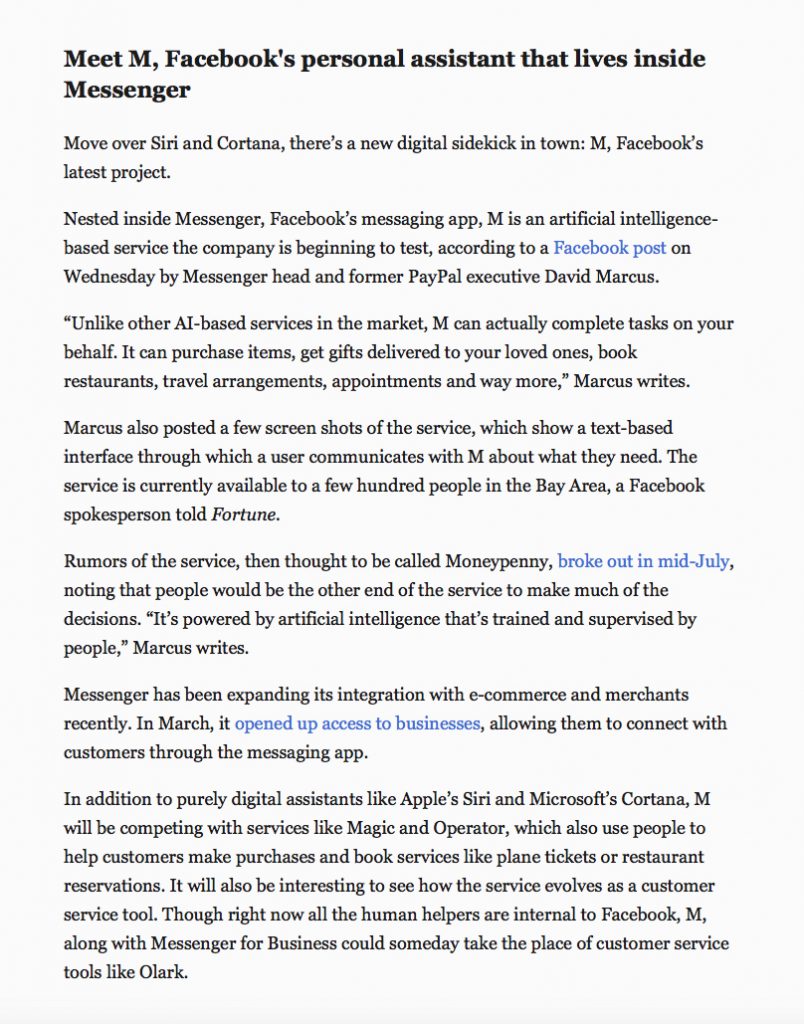
Before I become known as a science fiction writer, I’ll share the Fortune Magazine article and video with you below. In the article they make reference to Facebook’s Messenger (see Facebook for details here).

Facebook M
Text of article found on the Fortune Magazine website on ‘M’ & Facebook.