
Open source graphing and plotting.
Plotly JavaScript Graphing Library | JavaScript | Plotly
Free commercial version and upgrade to paid version.
Our favorite.
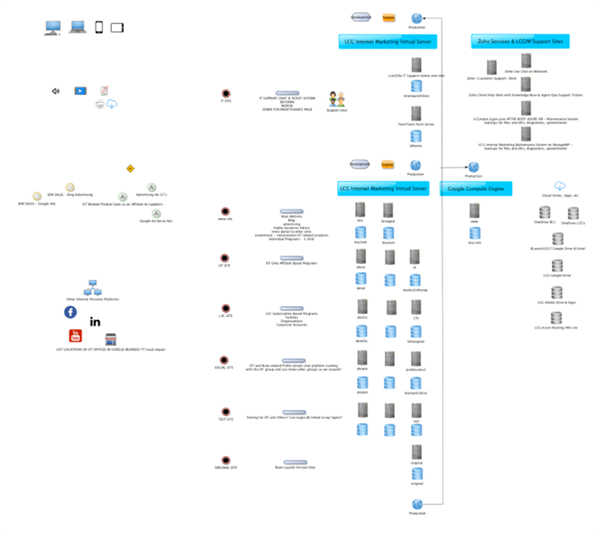
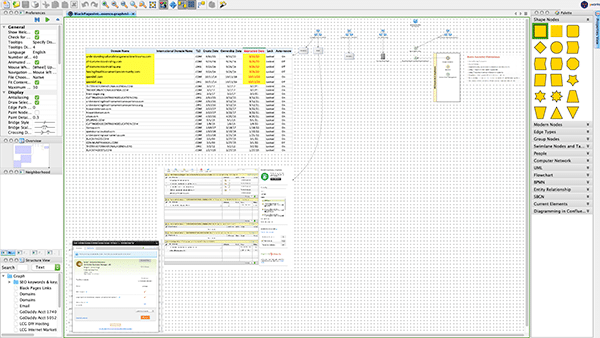
We use is every day! yEd Graph Editor by yworks ‘the diagramming experts’.

Plotly JavaScript Graphing Library | JavaScript | Plotly
Free commercial version and upgrade to paid version.
We use is every day! yEd Graph Editor by yworks ‘the diagramming experts’.
Three years ago, after discussions with the major internet giants including Apple, Facebook, Google, Microsoft and Mozilla , Adobe decided to end Flash by the end of this year.
This is to make room for more efficient and updated methods to do so using new standards and capabilities with the html standard’s update to html5. Here are some handy resources to learn more.
Adobe’s announcement Flash Play EOL ‘End-of-Life’ by the end of 2020.

We will be doing the conversion and providing the example and video of conversion process here soon!
Here are Adobe’s instructions for you NOW!
Please complete our SEO Keyword Questionnaire when purchasing SEO setup services or adding a mobile friendly website to your existing website. Also, if you are looking to update your website’s SEO configuration so it will rate highly when crawled by the search engine spiders, and analyzed by the latest search engine algorithms. We can use your responses to analyze up-to-the-minute worldwide search data, and compare what your competitors are using and how their keywords and key phrases are ranking.
For help with keywords and key phrases, review those you think will be best for your website and find others with a couple of very handy, and free, online tools:
Please share your ideas and suggestions with us!
If you are using an Apple computer and have a WordPress website, or any website where you have a folder full of files that you need to resize, you can do it very quickly and easily by following these simple steps.
Here is an easy to follow video with more details:
Need some uplifting and energizing music to get some serious coding done? Listen up! BUY THIS ALBUM.
How To Use FileZilla
We have an ftp server we use to move files between our clients and us. We like the FileZilla ‘ftp client’ which is used on your computer to communicate with ftp servers. We have no interest in them and gain nothing by suggesting them. But, we like this free software and use it on all of our Apple computers and PC’s. You can download the appropriate FileZilla client software here.
Once installed you will need to enter our server address, your user name & password, and the name of your folder on our ftp server. We will provide these to our clients so they can send us their files. You can always use our web based ftp client here. But, if you’d like an excellent and free ftp client for your PC or Mac, below is a short video on how to install and use it.
Email is a vital part of almost every business today. It is challenging for businesses to keep their email protected from spam and spoofing and working in a timely fashion. They must be stored and retaining them as required by various laws is also required and can be quite challenging.
Here is a handy chart of the various regulatory bodies record retention periods. It could be from a year to 35 years depending on your industry.
| Regulations | Industry | Years Retention Required |
| FDIC | Banking | 5 years |
| FCC / Title 47, Part 2 | Telecommunication | 2 years |
| FDA / Title 21, Part 11 | Pharmaceuticals, Biological Products & Food manufacturers | 5 to 35 years |
| HIPAA | Healthcare | 7 years |
| DOD 5015.2 | DOD Contractors | 3 years |
| SEC 17a(3) and 17a(4) | Securities Firms, Investment Bankers, Brokers & Dealers, Insurance Agents | 7 years to lifetime |
| SEC 204-2 | Investment Advisors | 7 years to lifetime |
| Sarbanes Oxley (SOX) | public companies | 7 years |
| IRS | companies | 7 years |
| PCI DSS | Credit card & cc processing companies | 1 year |
| FOIA (Federal and State) | All Federal, state & local government agencies | 3 years |
| Gramm-Leach-Bliley Act | Banking & Finance Firms | 7 years |
There are a plethora of available methods to retaining your email. From using your email client to save, archive, and backup your emails to buying servers and mass storage devices to run open source or purchased programs or using cloud based services which perform this function. Some larger organizations have full-time staffers who manage only their email retention.
Many use the Microsoft Outlook client on their computers. Here are instructions Microsoft provides to export and backup your emails, contacts, and calendar from Outlook to an Outlook ‘.pst’ file. Included are instructions to configure Outlook’s automated archiving feature which makes part of this needed function automatic and while emails are archived, they can be retrieved with an email search from the client! A separate strategy to make the .pst files and retaining them will also be needed. If you use Microsoft Exchange, they have a cloud based service and offer a free trial to get more familiar.
We work with our clients to provide the type of email service they need and would be happy to discuss this as part of the internet presence management services we provide. We will be happy to work with you to manage you website/s, storefront/s, blog/s, email, SEO, SEM, social and other internet marketing efforts.
note: We are not associated with and are not recommending any of the companies or services mentioned here. They are simply examples of what is available in the market place.
Visit our DIY Storefront if you’d like the lowest cost solution to a website for your business. Check out our KISS Storefront if you’d like the benefits of low-cost professional services which allow you to keep your focus on your business and customers. Use our SEO services to bring new customers to your website!
This short ‘How-To’ video covers a couple of basic questions about providing your website developer with access to your PayPal account. They will need to configure the interface of the two for proper processing of credit card transactions on your internet eCommerce website. Regardless of the credit card processing company, they all provide a means for your developer to integrate the two without access to any of your private and financial information.