The never-ending challenge of all things computing has a future rich with change. Here is an excellent look at the progress made with Quantum Computing over the years. As well as what we can expect in the months and years ahead!
It’s a revolution!
Please note we have no relationship with the author of the video and all credit for it goes to the author who made this publicly available on ‘YouTube’. We’re not related to YouTube either…….
Here is a video, highlighting recent SEO Marketing related changes, from the company who provides Content Samurai (try it free here). They cover the Google ‘crawling scheme’ changes, ‘Reels’, and how ‘Snapchat’ changes provide new advertising opportunities.
Since Equifax lost the private information of most of the adults in the USA, I’ve had several clients and friends bring up the topic. I thought I’d share some web links to shed a little light on the subject. You should consult with financial and legal professionals for guidance and to verify anything you are unsure of and might find on the internet.
A short video from the L.A. Times regarding freezing your credit.
If you’d like to enroll at Equifax for their service to work with your credit, they’ve made it free. You can go here https://www.equifaxsecurity2017.com.
You can visit each of the 3 credit bureau’s websites to get more information about placing a security freeze on your credit report.
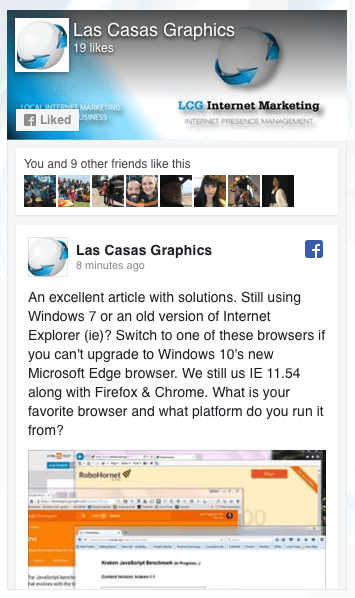
We recently came across a blog post which several of our clients have taken advantage of. We shared it on a Facebook Post. We feel it is best to upgrade your PC’s operating system to Windows 10 if you are on an older version. If you can’t, here are some browser solutions so you can utilize many of the new features on websites built for the current internet environment despite your old operating system.
Note that, as important as it was to upgrade your web browser and operating system in January 2016 (that is when the article we posted about was posted on the ZDNet Blog), it is even more important now. Improve security, loading speed, readability, functionality, and more! Upgrade your operating system to Windows 10. If you can’t try one of these.
We are not associated with the publisher, author, Microsoft, or anyone else. We present what we have learned for the benefit of our readers and all credit for shared content goes to their authors.
If you are using an Apple computer and have a WordPress website, or any website where you have a folder full of files that you need to resize, you can do it very quickly and easily by following these simple steps.
Duplicate your folder of images
Open the program ‘Preview’
Open the duplicate folder of images from the Preview menu
Select all of the images
Open the Tools menu and select ‘Adjust Size’
Change settings appropriately to effect the desired changes
Close the program window and save the changes to each image
Here is an easy to follow video with more details:
You may be aware of the Russian hacking assault in late 2016. Or, maybe you heard about the PHP malware attack on American websites which was traced to the Ukraine around the same time. Either way, you should not have to worry. With proper protection, you can greatly reduce the chances of your site being impacted by malware.
In late 2016 we had firsthand experience with the international internet malware concerns. We had an inquiry which resulted in our gaining a new client who was using a PHP based website which was infected by…. Well…. First, a little more background.
The website hosting servers run software called PHP and make using the ‘php’ language possible. Somewhat like running a Windows operating system makes running some very popular PC programs possible. PHP is a very popular coding language which is used to build WordPress blog sites and various other PHP based websites. Some custom designed e-commerce websites, or storefronts, are built with PHP and it is used in other mixed coding websites.
The newer the version of the PHP system, the more resistant it is to the malware traced to the Ukraine from the late 2016 internet assault. In order to run the latest versions of PHP the server must be using modern components. Older systems can’t run newer versions.
Our new client was using an older server so We updated the server and this resolved some of the php malware vulnerability they were experiencing but did not eliminate the problem entirely. The malware had left infected files behind so we turned to SiteLock. We installed the SiteLock system on this website and it found and eliminated the problem files and has protected the site without incident ever since.
Adding SiteLock protection is affordable and effective and can provide a tailored or complete solution with virus and firewall protection for your site and the skilled technicians to address any problem which may arise in this ever changing environment. Let us know if you’d like to explore the various levels of protection SiteLock can provide and we’ll SiteLock your website.
Fortunately, this client’s website was protected with an SSL or Secure Sockets Layer Certificate. This encrypts the transmission of data between the website server and the user’s browser and a must for e-commerce websites. So, no data was ever taken and the cause of their downtime was eliminated.
Recently, Google has started to give preference to websites with SSL. A website with SSL has an address which begins with https: while those without it begin with http:. This protection also improves your website’s ranking when potential customers search for your products or services.
Two lessons from this experience. One, you should plan on upgrading your website’s hardware, the servers that host it, regularly and as dictated by the changing technology. The second is the same lesson Benjamin Franklin shared with us. “An ounce of prevention is worth a pound of cure.” The SSL Certificate saved the day, a new server gave improved PHP security, and SiteLock will now keep the site safe and uptime at a maximum.
Contact us if you’d like to move your website to a new server, to get an SSL Certificate, or SiteLock malware protection for your website or anytime we can be of assistance.
The Internet Corporation for Assigned Names and Numbers
This organization has been in charge of domains since 1988 and has been located in the United States. Today it has changed hands and is now under the control of an international body. This change has been highly politicized. Which, given the internet is an American invention and is the result of our combined needs for a “nuclear proof” nationwide means of communication and to rapidly move geometrically increasing amounts of binary data, is quite understandable.
We’ve had occasion to utilize the ICANN organization in the protection of a client’s domain and were very satisfied at how their rules and administration over them protected our client, the rightful owner. It shall be interesting to see how the internet will change in the new global community, under international control, and in a very unstable time in international politics.
Ed Black, chief executive of the Computer & Communications Industry Association, said in a statement, this transfer is “a symbolic, but important step in preserving the stability and openness of the Internet, which impacts free speech, our economy and our national security.”
The new body which is now in charge of ICANN is IANA, The Internet Assigned Numbers Authority. Their website says, “IANA is responsible for coordinating the Internet’s globally unique identifiers, and is operated by the Internet Corporation for Assigned Names and Numbers (ICANN).”
It is certainly a challenging thing to have an open environment which is also safe. Both in terms of governments and networks. We’ll do our best to keep you posted of changes which may impact you and your business. Working together, Americans have always overcome the most difficult challenges. Technology has given us a chance to grow and learn how to work with our international partners on the internet and in space.
Working together, our clients have the peace of mind knowing we are focused on their internet presence, so they can focus on their customers. My favorite team is Ours 🙂 Join us!
After agreeing to sell their company to Verizon, Yahoo announced that they had a security breech in 2014 where 500,000,000 (that’s 500 MILLION!) user names and passwords were taken along with other data. Evidently, Yahoo did not encrypt their data. Once the hackers got in they had access to everything.
It will be interesting to see how this revelation impacts the sale of Yahoo to Verizon as will the ongoing anti-trust concerns over the deal. We’ll be following this with interest as it seems net-neutrality issues are also involved. Here is a related article on the Fortune website. What do you think?
Here is an excellent article on the Wired.com Website about good password practices and tips for easier to remember and more secure passwords. It’s titled, “7 Password Experts on How to Lock Down Your Online Security“. But, before you read it, change your Yahoo password!
note: We have no relationship to the organizations who’s articles are linked above. They simply were found to be interesting and relevant to the subject of this article.
We have an ftp server we use to move files between our clients and us. We like the FileZilla ‘ftp client’ which is used on your computer to communicate with ftp servers. We have no interest in them and gain nothing by suggesting them. But, we like this free software and use it on all of our Apple computers and PC’s. You can download the appropriate FileZilla client software here.
Once installed you will need to enter our server address, your user name & password, and the name of your folder on our ftp server. We will provide these to our clients so they can send us their files. You can always use our web based ftp client here. But, if you’d like an excellent and free ftp client for your PC or Mac, below is a short video on how to install and use it.