
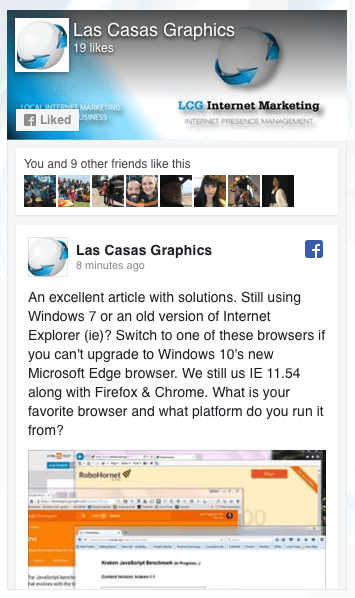
A FaceBook Post We Like from January 2016

We recently came across a blog post which several of our clients have taken advantage of. We shared it on a Facebook Post. We feel it is best to upgrade your PC’s operating system to Windows 10 if you are on an older version. If you can’t, here are some browser solutions so you can utilize many of the new features on websites built for the current internet environment despite your old operating system.

Note that, as important as it was to upgrade your web browser and operating system in January 2016 (that is when the article we posted about was posted on the ZDNet Blog), it is even more important now. Improve security, loading speed, readability, functionality, and more! Upgrade your operating system to Windows 10. If you can’t try one of these.

We are not associated with the publisher, author, Microsoft, or anyone else. We present what we have learned for the benefit of our readers and all credit for shared content goes to their authors.

Using Mac Preview to Resize a Folder of Images for Your Website

If you are using an Apple computer and have a WordPress website, or any website where you have a folder full of files that you need to resize, you can do it very quickly and easily by following these simple steps.

  1. Duplicate your folder of images
  2. Open the program ‘Preview’
  3. Open the duplicate folder of images from the Preview menu
  4. Select all of the images
  5. Open the Tools menu and select ‘Adjust Size’
  6. Change settings appropriately to effect the desired changes
  7. Close the program window and save the changes to each image

Here is an easy to follow video with more details:

Change Your Yahoo Password NOW!

After agreeing to sell their company to Verizon, Yahoo announced that they had a security breech in 2014 where 500,000,000 (that’s 500 MILLION!) user names and passwords were taken along with other data. Evidently, Yahoo did not encrypt their data. Once the hackers got in they had access to everything.

Here is a link to Yahoo’s help page, “Signs of a hacked account and what to do“. Don’t look for signs. Change it right now for your own protection!

It will be interesting to see how this revelation impacts the sale of Yahoo to Verizon as will the ongoing anti-trust concerns over the deal. We’ll be following this with interest as it seems net-neutrality issues are also involved. Here is a related article on the Fortune website. What do you think?

Here is an excellent article on the Wired.com Website about good password practices and tips for easier to remember and more secure passwords. It’s titled, “7 Password Experts on How to Lock Down Your Online Security“. But, before you read it, change your Yahoo password!

note: We have no relationship to the organizations who’s articles are linked above. They simply were found to be interesting and relevant to the subject of this article.