Deprecated code is a problem which you should not normally see in a current and well maintained website. It is a sign of age and neglect. What is it? Here is a wonderful explanation from TechTerms.com.
The short version is this. Programing languages change over time. What currently works is different from what worked some years ago. As the languages change some old code is rendered obsolete and replaced by new code. Or, is not required because of parallel developments of its framework and/or the environment it works with. When this happens, it is deprecated, i.e. rejected and no longer works.
You may be having problems for which you don’t know the cause or maybe your website is running slow. You can utilize browser tools for developers and see the errors if they are there. When you do, it is time to replace and update the code.
Regular maintenance and updating should be a part of your overall website care. Along with malware protection, SSL Certificates, regular backups, and ongoing upgrades. These and new content are often done along with your SEO efforts to keep your website keyword rankings high. This is so your website shows up near the top in search results when someone does a search for it, your products, services, or the topic covered in your website. Proper SEO includes listing what are called keywords or key-phrases in the website’s code and content. Now, with improving spoken language ‘understanding’, folks are doing spoken searches in full sentences and will find what you are offering if the SEO is done well AND regularly.
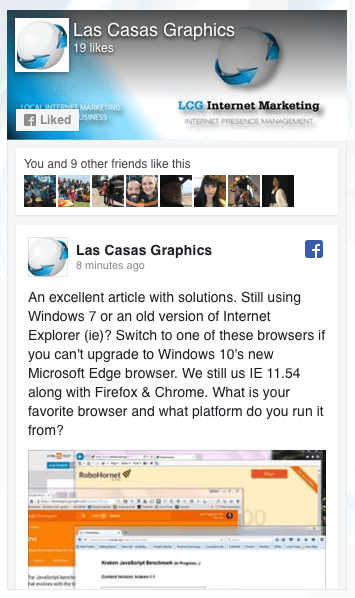
We recently came across a blog post which several of our clients have taken advantage of. We shared it on a Facebook Post. We feel it is best to upgrade your PC’s operating system to Windows 10 if you are on an older version. If you can’t, here are some browser solutions so you can utilize many of the new features on websites built for the current internet environment despite your old operating system.
Note that, as important as it was to upgrade your web browser and operating system in January 2016 (that is when the article we posted about was posted on the ZDNet Blog), it is even more important now. Improve security, loading speed, readability, functionality, and more! Upgrade your operating system to Windows 10. If you can’t try one of these.
We are not associated with the publisher, author, Microsoft, or anyone else. We present what we have learned for the benefit of our readers and all credit for shared content goes to their authors.
If you are using an Apple computer and have a WordPress website, or any website where you have a folder full of files that you need to resize, you can do it very quickly and easily by following these simple steps.
Duplicate your folder of images
Open the program ‘Preview’
Open the duplicate folder of images from the Preview menu
Select all of the images
Open the Tools menu and select ‘Adjust Size’
Change settings appropriately to effect the desired changes
Close the program window and save the changes to each image
Here is an easy to follow video with more details:
You may be aware of the Russian hacking assault in late 2016. Or, maybe you heard about the PHP malware attack on American websites which was traced to the Ukraine around the same time. Either way, you should not have to worry. With proper protection, you can greatly reduce the chances of your site being impacted by malware.
In late 2016 we had firsthand experience with the international internet malware concerns. We had an inquiry which resulted in our gaining a new client who was using a PHP based website which was infected by…. Well…. First, a little more background.
The website hosting servers run software called PHP and make using the ‘php’ language possible. Somewhat like running a Windows operating system makes running some very popular PC programs possible. PHP is a very popular coding language which is used to build WordPress blog sites and various other PHP based websites. Some custom designed e-commerce websites, or storefronts, are built with PHP and it is used in other mixed coding websites.
The newer the version of the PHP system, the more resistant it is to the malware traced to the Ukraine from the late 2016 internet assault. In order to run the latest versions of PHP the server must be using modern components. Older systems can’t run newer versions.
Our new client was using an older server so We updated the server and this resolved some of the php malware vulnerability they were experiencing but did not eliminate the problem entirely. The malware had left infected files behind so we turned to SiteLock. We installed the SiteLock system on this website and it found and eliminated the problem files and has protected the site without incident ever since.
Adding SiteLock protection is affordable and effective and can provide a tailored or complete solution with virus and firewall protection for your site and the skilled technicians to address any problem which may arise in this ever changing environment. Let us know if you’d like to explore the various levels of protection SiteLock can provide and we’ll SiteLock your website.
Fortunately, this client’s website was protected with an SSL or Secure Sockets Layer Certificate. This encrypts the transmission of data between the website server and the user’s browser and a must for e-commerce websites. So, no data was ever taken and the cause of their downtime was eliminated.
Recently, Google has started to give preference to websites with SSL. A website with SSL has an address which begins with https: while those without it begin with http:. This protection also improves your website’s ranking when potential customers search for your products or services.
Two lessons from this experience. One, you should plan on upgrading your website’s hardware, the servers that host it, regularly and as dictated by the changing technology. The second is the same lesson Benjamin Franklin shared with us. “An ounce of prevention is worth a pound of cure.” The SSL Certificate saved the day, a new server gave improved PHP security, and SiteLock will now keep the site safe and uptime at a maximum.
Contact us if you’d like to move your website to a new server, to get an SSL Certificate, or SiteLock malware protection for your website or anytime we can be of assistance.
After agreeing to sell their company to Verizon, Yahoo announced that they had a security breech in 2014 where 500,000,000 (that’s 500 MILLION!) user names and passwords were taken along with other data. Evidently, Yahoo did not encrypt their data. Once the hackers got in they had access to everything.
It will be interesting to see how this revelation impacts the sale of Yahoo to Verizon as will the ongoing anti-trust concerns over the deal. We’ll be following this with interest as it seems net-neutrality issues are also involved. Here is a related article on the Fortune website. What do you think?
Here is an excellent article on the Wired.com Website about good password practices and tips for easier to remember and more secure passwords. It’s titled, “7 Password Experts on How to Lock Down Your Online Security“. But, before you read it, change your Yahoo password!
note: We have no relationship to the organizations who’s articles are linked above. They simply were found to be interesting and relevant to the subject of this article.